

Building Information Modelling (BIM) has moved well beyond pretty 3D pictures. On many projects, the model is now expected to carry enough detail that a fabricator can cut steel from it or a site crew can install from it. That level of detail is powerful, but it comes with a cost that people in design and construction offices often notice only after the first slow, frozen, or crashed session: detailed models put real pressure on computers, storage, and networks.
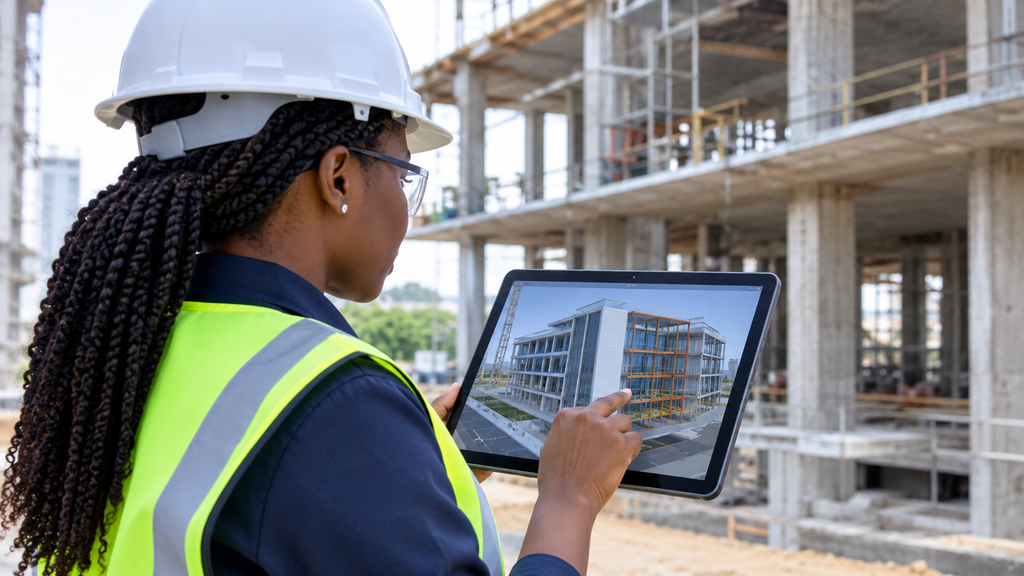
This article looks at detailed BIM work from the technology side, and at what a business needs in place to handle it without constant frustration. The subject itself was inspired by the BibLus (ACCA Software) article BIM Detailing: Transforming the Information Model into an Executive Project, which explains the design and construction side in depth. We recommend it if you want the full methodology. Here, we focus on the machines and systems behind the work.
A quick look at what “detailing” means
In the early stages of a project, a model shows the general shape of things: where walls go, how big rooms are, roughly what the structure looks like. Detailing is the stage where that model is refined until it describes how things will actually be built, with connections, fixings, tolerances, and the information a manufacturer or installer needs.
The more precise the model becomes, the more data it holds. A single wall can turn from one simple object into a collection of many small parts. Multiply that across a whole building and you can see why file sizes and processing demands climb quickly.
Why detailed models strain your equipment
A few things happen as a model grows more detailed:
- Files get larger. Models that once opened in seconds can take minutes, and saving them takes longer too.
- Graphics work harder. Rotating, zooming, and sectioning a dense model needs a capable graphics card, not just a fast processor.
- Memory fills up. When a computer runs out of RAM, it slows down dramatically or the program closes without warning.
- Several models are open at once. Teams often combine architectural, structural, and services models to check how they fit together, multiplying the load.
It is worth saying that a good modelling habit also helps. Experienced teams avoid piling in detail that nobody needs, because an over-heavy model slows everyone down without improving the result. Hardware and modelling discipline work best together.
What to look for in a workstation
If your team does serious BIM work, the computer is a working tool, not an office accessory. These are the areas to pay attention to:
- Processor. BIM software often leans heavily on the speed of a single core for many tasks, so strong per-core performance matters, along with enough cores for tasks that run in parallel.
- Memory (RAM). This is one of the most common bottlenecks. Larger and more detailed projects need generous memory, and it is cheaper to plan for it than to fight crashes later.
- Graphics card. A dedicated, professional-grade or well-supported graphics card makes navigation smoother in large models.
- Fast storage. A solid-state drive makes opening, saving, and loading models noticeably quicker than an old mechanical drive.
- Screens. Detailed drawings are easier to review on larger or dual monitors, which also reduces eye strain over long days.
Before buying, check the recommended specifications from your software vendor and compare them with the size of the projects you actually handle. Buying a machine that is just enough today often means replacing it sooner than planned.
Storage and backup: protect the work
A detailed model represents many hours of skilled work. Losing it, or losing a recent version of it, is expensive. A sensible approach includes:
- Regular automatic backups, not just occasional manual copies.
- More than one copy, ideally with at least one stored away from the office, such as in secure cloud storage.
- Version history, so you can go back to an earlier state if someone makes a mistake or a file becomes corrupted.
- Restore tests. A backup you have never tried restoring is only a hope. Test it now and then.
Collaboration needs a solid network
Detailed projects involve many people: designers, engineers, fabricators, and site teams. They need to work from the same, current information. Most teams do this through a shared online workspace where models and documents are stored, versioned, and approved.
That approach only works well if the connection behind it does. Slow or unreliable internet can mean long upload times, failed syncs, and people quietly working from old copies. A few practical steps help:
- Choose an internet plan that suits the size of your files, paying attention to upload speed as well as download speed.
- Consider a backup connection so work does not stop when the main line drops.
- Keep your local network, switches and Wi-Fi in good order, since weak spots there can be mistaken for software problems.
- Agree on simple file-naming and folder rules, so people always know which version is current.
Security and access
Project models and drawings are valuable and often confidential. Protect them with some basic habits:
- Give each person access only to what they need.
- Use strong, unique passwords and, where possible, two-step sign-in.
- Keep operating systems and software up to date, since updates close known security holes.
- Use reliable security software on every computer that touches project files.
- Be careful with files shared outside the team, and know who has received them.
A short checklist for your office
If BIM work is becoming a bigger part of your business, ask yourself:
- Do our computers meet or exceed the recommended specs for the software we use?
- Do we have enough memory and fast storage for our largest projects?
- Are project files backed up automatically, with at least one off-site copy?
- Have we tested restoring a backup recently?
- Is our internet connection fast and stable enough for large file transfers?
- Does everyone know where the current version of each model lives?
- Are access rights and passwords under control?
If several of these get a “no” or a “not sure”, that is a sign to look at your setup before the next big project.
Final thoughts
Detailed BIM can help teams find problems early and build with more confidence, but it works best on a foundation of dependable technology. Strong workstations, safe storage, a stable network, and good habits turn a heavy model from a headache into a useful tool.
If you are planning an upgrade or want a second opinion on your current setup, the team at Costech Computers would be happy to help you choose equipment and systems that fit the way you work.
Credit: this article was inspired by BIM Detailing: Transforming the Information Model into an Executive Project, published by the BibLus blog (ACCA Software). It is an independent piece written with a technology focus for Costech Computers readers.